Excel budget templates are downloadable spreadsheet files designed to help Canadians track income, categorize expenses, and plan for savings and debt repayment. These free tools provide a structured and customizable framework for managing household or personal finances without requiring advanced software skills. Using a template can clarify your financial picture by automatically calculating totals and highlighting spending patterns. For many Canadians, a well-maintained budget is a foundational step toward achieving financial stability and reaching long-term goals.
What an Excel Budget Template Provides
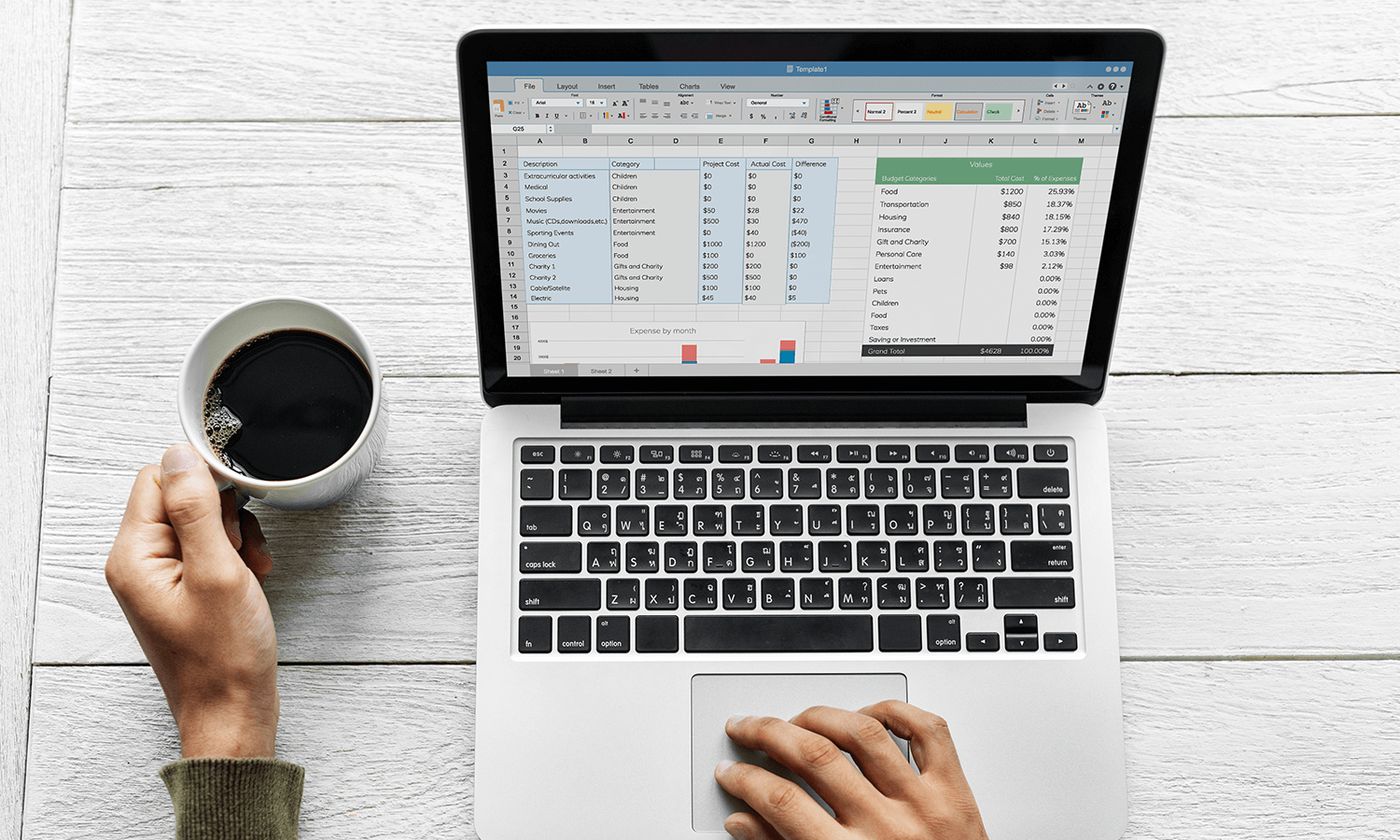
An Excel budget template is a pre-formatted spreadsheet that serves as a starting point for organizing your finances. It typically includes labelled sections for entering all sources of income and various categories of expenses, from fixed costs like rent to variable spending like groceries. The template contains embedded formulas that automatically sum your totals and calculate the difference between your income and expenses, showing your monthly surplus or shortfall. Many templates designed for Canadians also incorporate guidelines based on typical household spending patterns to help users gauge if their allocations are within common ranges. This structure removes the need to build a spreadsheet from scratch, allowing you to focus immediately on inputting your personal financial data.

Sources for Free Canadian Budget Templates
Several reputable Canadian organizations and government agencies offer free Excel budget templates for public use. The Financial Consumer Agency of Canada, a federal government body, provides a Budget Planner tool that auto-fills a template based on user input. Non-profit credit counselling organizations, such as the Credit Counselling Society and Consolidated Credit Canada, offer downloadable spreadsheet templates aimed at helping individuals manage debt and build spending plans. Financial publications like MoneySense also provide free, updated Excel templates for personal budgeting. These sources ensure the templates are relevant to the Canadian financial context, often including categories for expenses common in Canada and using Canadian spelling and formatting.
These templates are generally available in multiple file formats to ensure broad compatibility. The most common format is a Microsoft Excel Worksheet (.xlsx), but versions for older Excel (.xls), Apple Numbers (.numbers), and open-source software like OpenOffice are often provided. Many templates are also fully functional when uploaded to Google Sheets, offering flexibility for users who prefer cloud-based tools. The availability of a French-language version is another consideration for some Canadian users. The key advantage of sourcing templates from these established entities is the assurance that the tool has been designed with Canadian financial norms and consumer protection principles in mind.
Core Components of a Standard Template
A comprehensive budget template is systematically divided into logical sections to capture a complete financial picture. The first major section is dedicated to income, where you list all net, or after-tax, earnings from employment, investments, and other sources. The next substantial portion details monthly expenses, which are frequently grouped into categories such as housing, transportation, food, debt payments, insurance, and personal spending. A crucial component found in many advanced templates is a savings calculator, which helps you plan for annual, emergency, and irregular expenses by breaking them into monthly savings goals. Finally, a summary section automatically compiles the data from the income and expense sections to show your total monthly cash flow, indicating whether you are living within your means.
Beyond these basic divisions, intelligent templates include interactive features to guide the user. As you enter data, the spreadsheet may provide alerts if an expense category is disproportionately high or low compared to common Canadian guidelines. Pop-up tips or hover descriptions can explain what specific expense categories should include, reducing confusion. The template manages the mathematical calculations, but these guidance features help with the behavioural and planning aspects of budgeting. This combination of structure and interactive support transforms a simple spreadsheet into a coaching tool, which is particularly valuable for those new to budgeting or those working to get out of debt.

Steps to Set Up Your Personal Budget
Creating a functional budget with an Excel template involves a series of methodical steps. Begin by downloading your chosen template and opening it in your preferred spreadsheet program. Your first task is to input your net income, which is the amount you receive after deductions like taxes, Canada Pension Plan contributions, and Employment Insurance premiums. Next, proceed to the expense section and enter your monthly costs for each category, using past bank statements or bills to ensure accuracy for fixed expenses and making educated estimates for variable ones. As you fill in the template, pay attention to any alerts or guidance it provides regarding your spending allocations compared to suggested benchmarks.
After your initial data entry, review the budget summary to see if your total expenses are less than or equal to your income. If you have a shortfall, you will need to adjust your numbers by identifying areas to reduce spending or exploring ways to increase income. Once the budget balances, the template becomes a living document. You should update it regularly with actual spending figures and adjust your projections as your financial situation changes. For those seeking expert validation, a completed template can be brought to a free, confidential counselling session with a non-profit credit counsellor for professional review and advice.
- Download and open the template file in Excel or a compatible program.
- Enter all sources of net monthly income.
- Input monthly expenses using past records for accuracy.
- Review automated summary and alerts for spending imbalances.
- Adjust expense categories until income meets or exceeds total outflows.
- Use the template to track actual spending and update it regularly.
- Consider reviewing the completed budget with a credit counsellor.
Privacy and Security Advantages
Using a downloadable Excel template for budgeting offers significant privacy benefits compared to many online financial apps and platforms. The template operates entirely on your local device. Your personal financial data never needs to be uploaded to a third-party server or cloud service you do not control. This local storage means you are not required to create an account, provide an email address, or share any login credentials. This approach aligns with the security terms of many Canadian financial institutions, as you are not disclosing your banking passwords or granting read-only access to your accounts, which could potentially violate your electronic banking agreement.
The security of your budget information ultimately depends on how you manage the file on your own computer. You are responsible for saving the file in a secure location, potentially using password protection features within Excel, and ensuring your device is protected against malware. This model places you in full control of your sensitive data, which is a primary reason many Canadians prefer spreadsheet-based budgeting over connected apps. The offline nature of the tool does not limit its functionality, as it still provides full interactive features, automated math, and guidance without an internet connection after the initial download.
Common Canadian Budgeting Guidelines Incorporated
Many Canadian-designed Excel templates integrate spending guidelines derived from aggregated data from credit counselling sessions. These guidelines suggest how a typical household might allocate its after-tax income across major expense categories to maintain financial health and avoid debt. While individual circumstances vary, these benchmarks provide a useful reference point to evaluate your own spending. For example, a template might highlight if your housing costs, including rent or mortgage, property taxes, and utilities, exceed a certain percentage of your net income, which is a common trigger for financial stress.
| Expense Category | General Guideline (of Net Income) |
|---|---|
| Debt Repayment | 5-10% |
| Savings | 5-10% |
These percentages are not rigid rules but are presented as interactive targets within templates. As you input your numbers, the spreadsheet may flag categories where your spending deviates significantly from these ranges, prompting you to reconsider those expenses. This feature helps users identify potential problem areas, such as excessive discretionary spending or under-saving for emergencies, which are common challenges in personal finance management. The goal is to use these guidelines as a diagnostic tool to foster a balanced and sustainable budget.
Avoiding Frequent Template Mistakes
Several common errors can undermine the effectiveness of a budget template. A frequent mistake is budgeting with gross income instead of net income, which leads to an overestimation of available funds and causes the budget to be fundamentally inaccurate. Another issue is forgetting to account for non-monthly expenses, such as annual insurance premiums, property tax installments, holiday gifts, or vehicle maintenance. Failing to break these into monthly savings amounts can create cash shortfalls when the bills arrive. Users sometimes also make the error of creating an idealistic budget based on desired spending rather than tracking and using their actual historical spending data, which results in a plan that is not realistic or sustainable.
Technical errors can also occur, such as accidentally overwriting or deleting the template's essential formulas, which breaks its automatic calculation functions. To avoid this, it is advisable to save a clean master copy of the template and work on a duplicate. Some users may also struggle if they do not customize the pre-set expense categories to match their unique life situation, leaving out significant costs or forcing expenses into ill-fitting categories. Finally, a major behavioural mistake is creating a budget but then not referring to it or updating it throughout the month, rendering it a static exercise rather than a dynamic financial management tool. Consistent review and adjustment are necessary for a budget to serve its purpose.
Frequently asked questions
Where can I find a free Excel budget template in Canada?
Free Excel budget templates are available from several Canadian sources. The Financial Consumer Agency of Canada offers a Government of Canada Budget Planner that auto-fills a template. Non-profit credit counselling organizations like the Credit Counselling Society and Consolidated Credit Canada provide downloadable spreadsheets. Financial publications such as MoneySense also release updated templates, with one noted as updated in January 2024.
Do I need Microsoft Excel to use a budget template?
No, you do not need Microsoft Excel specifically. Most templates are provided in the .xlsx format for modern Excel, but they are often compatible with other programs. They can frequently be used in Google Sheets, Apple Numbers on Macs and iPads, and open-source software like OpenOffice. Many providers offer dedicated file downloads for these alternative platforms.
What should I do if my expenses are higher than my income in the template?
If your template shows expenses exceeding income, you need to adjust your budget. Review variable expense categories to find areas to cut back, such as dining out or entertainment. If cuts are insufficient, you may need to explore ways to increase your income. For personalized help, you can take your completed template to a free appointment with a non-profit credit counsellor who can help you develop a realistic plan.
Should I use my gross income or net income in the budget?
You should enter your net income. Net income is your take home pay after deductions. Budgeting with gross income would not accurately reflect the money you have available for spending and saving. The template is designed to work with your actual disposable income to create a realistic financial plan. Using net income ensures your budget calculations for expenses and savings are correct.
How does a budget template help with saving money?
A budget template helps with saving by including a built in savings calculator. This calculator shows you how much money to set aside for annual, emergency and unexpected expenses. It helps you identify different types of expenses you need to plan for. The template also helps you learn where to trim your spending. This process frees up money to allocate towards your short term goals and long term plans.
Are online budget apps safer than an Excel template?
An Excel template can be more secure as it operates offline on your personal device. You do not need to divulge financial information or grant read only access to your bank accounts. Some financial institution agreements prohibit sharing passwords with third party apps. Using a downloaded spreadsheet does not violate these banking agreements. You maintain full control over your data's security on your own computer or laptop.
Sources and further reading
- Free budget template spreadsheets to customize excel.cloud.microsoft
- Budgeting template ised-isde.canada.ca
- Intelligent, Free Excel Budget Calculator Spreadsheet mymoneycoach.ca
- MoneySense's free Excel template for your monthly budget moneysense.ca
- Free Budget Template & Calculator for Canadians nomoredebts.org
This article explains how things work and is not financial, tax or legal advice. Rules, limits and rates change, so check the current figures with the Canada Revenue Agency, your province or your financial institution before you act.