CIBC sets specific limits on Interac e-Transfers from personal accounts, allowing up to $3,000 per 24-hour period, $10,000 per 7-day period, and $30,000 per 30-day period. These limits are designed for security and fraud prevention and apply to the amount of money you can send. Understanding these caps is essential for Canadians who frequently send money for rent, bills, or personal payments to avoid transaction delays. The limits can vary by account type and may be increased upon request, while receiving limits are generally higher or non-existent.
Standard Personal Account Transfer Limits
CIBC's Interac e-Transfer limits for standard personal chequing accounts are defined across three rolling time periods. You can send up to $3,000 within any 24-hour window. This is not a calendar day limit but a rolling one, meaning the clock resets 24 hours after each transaction. Over a seven-day period, the cumulative sending limit is $10,000. The monthly cap, calculated over a 30-day period, is set at $30,000. This monthly limit is among the highest offered by Canada's major banks. These limits apply specifically to funds you send to others. CIBC does not publish a specific cap on the amount you can receive through Interac e-Transfer, as the receiving limit is typically constrained by the sender's financial institution. It is important to note that these are default limits and your personal limit may vary based on your account type and history. CIBC may set limits for the amount of money you are allowed to send, receive, or request, and the number of requests you are allowed to make using the Service according to its terms and conditions. The $3,000 daily limit is a common standard across many Canadian banks, including TD Bank and BMO for personal accounts. The weekly limit of $10,000 is also a standard figure, with TD Bank matching this amount for its 7-day period.
Fees Associated with CIBC e-Transfers
CIBC charges a fee of $1.50 for each Interac e-Transfer sent from a standard personal chequing account. However, this fee is waived for clients holding several specific account types. The fee does not apply on the CIBC Smart Account, the CIBC Everyday Chequing Account, the CIBC Smart Plus Account, or the CIBC US$ Personal Account. Furthermore, clients aged 65 and older do not pay the e-Transfer fee on any CIBC chequing account. Receiving an Interac e-Transfer is always free at CIBC regardless of your account type. If you need to cancel a sent transfer before it is deposited, CIBC charges a stop payment fee of $3.50. This fee applies only if the request is successful, meaning the recipient has not yet accepted the funds and does not have Autodeposit enabled. The CIBC Smart Account includes unlimited Interac e-Transfers, meaning the $1.50 fee is waived entirely for transactions from that account. For business accounts, the cost is $2.00 per payment for Interac e-Transfer for Business service. It is worth checking whether your account is on the waiver list to avoid unexpected charges, and clients can switch to the Smart Account or Everyday Chequing Account to have the fee waived if they are currently on a legacy or non-listed account.
How to Send and Receive Money
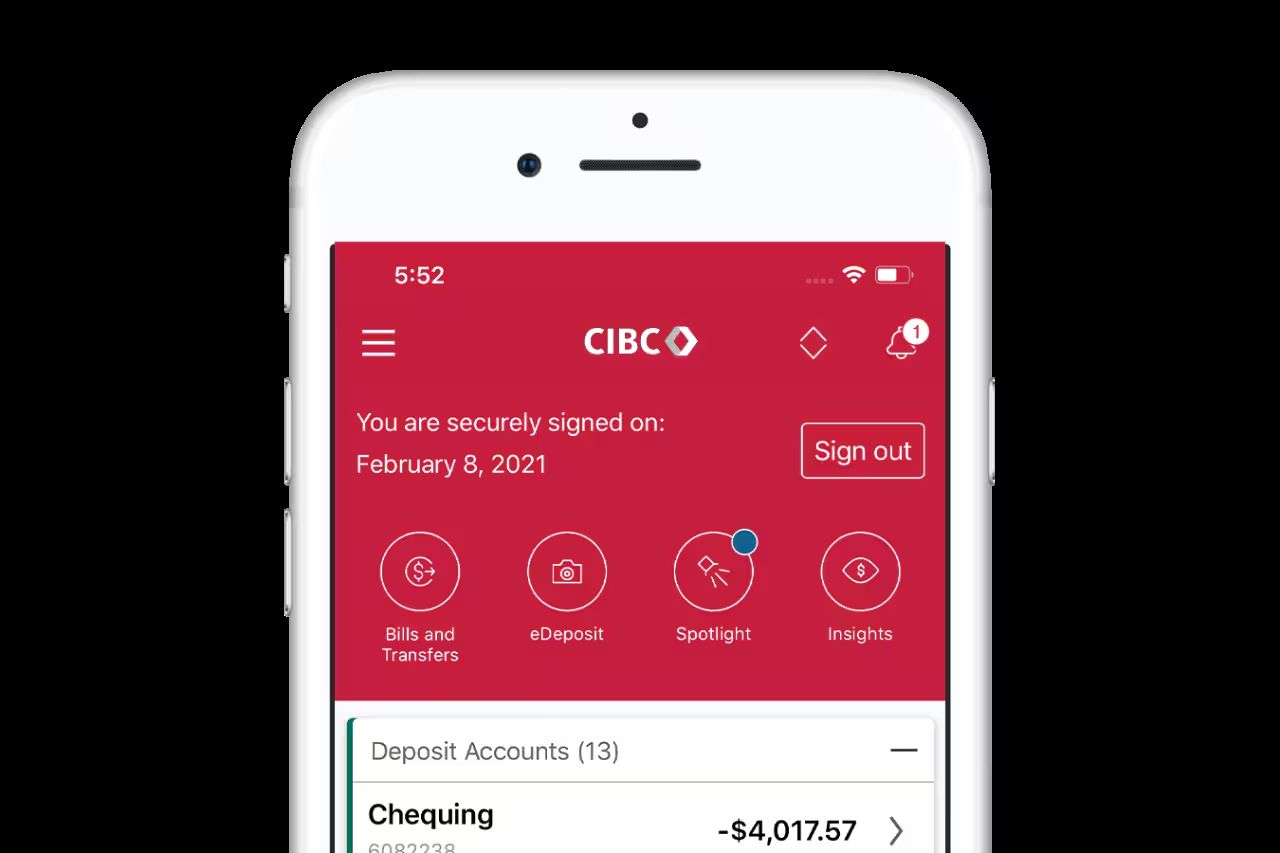
You can initiate an Interac e-Transfer through CIBC Online Banking or the CIBC Mobile Banking App. To send money, sign on and select Interac e-Transfer from the menu in online banking, or from the navigation menu in the mobile app, select Move money and then select Interac e-Transfer. You will need to enter the recipient's email address or mobile number, the amount, and an optional security question and answer if they are not registered for Autodeposit. You can also schedule your Interac e-Transfer payments ahead of time and even make them recurring. To receive money, the sender follows a similar process from their own bank. You can register for Autodeposit, a free service that allows transfers sent to your email or phone to be deposited into your chosen account automatically without needing to answer a security question. To register, you must select Autodeposit Settings or Interac e-Transfer settings followed by Change Autodeposit settings on the app, choose a contact method, and then select your deposit account. You cannot use the same email address or phone number to register more than one account for Autodeposit. The link in the verification email or text from Interac to complete Autodeposit registration expires in 24 hours. Once registered, money is transferred immediately upon sending and you cannot reclaim or cancel it. For more help, CIBC provides an interactive demo on how to register for Interac e-Transfer Autodeposit.
![Canada] CIBC e-Transfer payment guide](/media/cibc-interac-e-transfer-limits-g3.jpg)
Requesting Money and Managing Transactions
CIBC account holders can use the Request Money feature to ask a contact for funds. You can request up to $1,000 per transaction using this feature. There is a maximum of 10 unfulfilled Interac e-Transfer Request Money transactions allowed at one time. You can have up to 200 active Interac e-Transfer Request Money transactions at a time according to Interac's general rules. Once the contact fulfills your request, you will be charged the standard $1.50 sending fee unless your account type qualifies for a waiver. There is no fee for fulfilling a request for money someone sends to you. To send a request, you must select the checkbox to confirm you have an existing relationship with this contact. You can stop a sent Interac e-Transfer if the recipient is not registered for Autodeposit and has not accepted the money. To do this, you must submit a stop payment request through online or mobile banking by selecting Status or Stop Transaction, reviewing the list of transfers, selecting the one to stop, and agreeing to the terms and conditions, which incurs a $3.50 fee if successful. Once a transfer is deposited, it cannot be reversed by CIBC. The money will be transferred immediately and you will not be able to reclaim or cancel it. If you pay using your credit card for a CIBC Global Money Transfer, you can send up to $15,000 CA per transaction, or up to your credit limit if it's under $15,000, in a 24-hour period, which is a separate service from Interac e-Transfer.
Business Account and Higher Limit Options
CIBC business accounts offer significantly higher Interac e-Transfer limits tailored for commercial use. With CIBC SmartBanking for Business, you can securely send up to $25,000 per Interac e-Transfer payment. The cost for this service is $2.00 per payment. For personal account holders who need to exceed the standard $3,000 daily limit, you can request a limit increase. You can contact CIBC client care to discuss raising your limits, though approval is not guaranteed and may depend on your account history and standing. Switching to a premium personal account like the CIBC Smart Plus Account, which includes unlimited Interac e-Transfers, does not inherently raise the dollar-amount sending limits but provides more transaction flexibility. Business accounts from other major Canadian banks also provide higher limits, with RBC and Scotiabank also allowing up to $25,000 per transfer for business clients. TD Bank lists standard business limits that vary by account profile, and BMO business accounts allow up to $10,000 per transfer. These higher limits accommodate the needs of freelancers, contractors, and small business owners who regularly process larger payments. The Interac e-Transfer for Business service supports multi-user management and other commercial features that are not available on standard personal accounts.
Business accounts from other major Canadian banks also provide specific limits, as shown in this comparison. For example, CIBC offers a business service called CIBC SmartBanking for Business. This service allows businesses to securely send up to $25,000 per Interac e-Transfer payment. The cost for this service is $2.00 per payment. These business account limits are designed to accommodate larger transaction volumes typical for commercial use.
| Financial Institution | Business e-Transfer Limit |
|---|---|
| CIBC | Up to $25,000 per transfer |
| RBC | Up to $25,000 per transfer |
| Scotiabank | Up to $25,000 per transfer |
| BMO | Up to $10,000 per transfer |
| TD Bank | Varies by account profile |
This comparison shows that CIBC is among the high-limit banks for business transactions, matching RBC and Scotiabank. The CIBC SmartBanking for Business service allows for payments of up to $25,000 per Interac e-Transfer. For freelancers and contractors, these business account limits are a better fit than personal account caps for processing larger payments. Personal accounts have lower default limits, such as $3,000 per day, making business accounts more suitable for higher-value transactions.
Common Issues and How to Resolve Them
Several common issues can prevent an Interac e-Transfer from completing successfully. If you have reached your daily, weekly, or monthly sending limit, you will be unable to send more money until the rolling time window resets. The transfer may also fail if you have insufficient funds in your account or if there is a temporary system issue with CIBC or Interac. For recipients, a transfer can be delayed if they do not check their email, including spam folders, for the notification. Transfers can remain pending for up to 30 days before they expire and the funds are returned to the sender. If a transfer is stuck, you can contact CIBC for assistance. Enabling Autodeposit is the most reliable way to ensure fast and secure receipt of funds, as deposits typically occur within minutes. Before you select any link in an email notification, make sure the email is expected and from someone you know on behalf of Interac e-Transfer to avoid phishing attempts. If your CIBC e-Transfer is failing or stuck in a pending state, these are the most common issues and knowing how to resolve them can save time and frustration.
To avoid problems, follow these steps. First, sign on to online banking and select "Interac e-Transfer" from the menu, or use the mobile app and select "Move money" then "Interac e-Transfer". You should verify your personal transfer limits by starting an Interac e-Transfer within online or mobile banking, as limits may differ for some clients. It is also important to ensure you have an existing relationship with any contact you send a request to. Finally, always review the transaction details before selecting "Send Money" to confirm the information is correct.
- Check your personal sending limits in online or mobile banking before initiating a large transfer, as limits may differ for some clients.
- Ensure you have sufficient available funds in your account to cover the transfer and any applicable fee.
- Register for Autodeposit to receive money automatically and avoid security question delays.
- Remind recipients to check their email and spam folders for transfer notifications.
- Use the Request Money feature for amounts up to $1,000 when you need to collect funds.
- Contact CIBC client care if you need to discuss a limit increase or report a problematic transaction.
- Use the one-time contact feature for marketplace payments to leave your contact list clutter-free.
- If a payment fails, remember that CIBC will pause new outgoing payments until your daily or weekly window resets, but you can still schedule transfers for later.
Keeping these points in mind will help you manage your Interac e-Transfer transactions smoothly. For more help, CIBC provides interactive demos on how to register for Autodeposit and how to stop an Interac e-Transfer payment. You can stop a same-day Interac e-Transfer transaction as long as the recipient is not registered for Autodeposit and has not already accepted the money. A fee of $3.50 applies when a request for stop payment is successful. You can also explore the interactive demo on how to stop an Interac e-Transfer payment if you need to cancel a transaction.
Reasons Behind Transfer Limits
Canadian banks, including CIBC, implement Interac e-Transfer limits for several specific reasons centered on security, risk management, and infrastructure. The most common justification is fraud protection. If someone gains unauthorized access to your account, the daily limit caps the potential financial damage. Interac states clearly that an Interac e-Transfer transaction cannot be reversed once a recipient has deposited the funds. With Autodeposit making transfers instant and irreversible, banks prefer complaints about low limits over massive fraudulent withdrawals. Many fraud cases involve social engineering scams where a customer is tricked into willingly sending money, and limits act as a protective barrier in these situations. From a risk management perspective, e-Transfers are not settled in real-time. Your bank fronts the funds while actual clearing happens later. Higher transfer amounts mean higher risk exposure for the bank if something goes wrong during settlement. Canada's banking infrastructure also plays a role, as the Bank of Canada has acknowledged the country is behind other jurisdictions in rolling out real-time payment capability. Payments Canada's Real Time Rail testing runs through 2026, meaning banks currently work within the constraints of older technology. Furthermore, anti-money laundering regulations require banks to monitor transactions and flag unusual activity, and lower limits help institutions manage this regulatory scrutiny by keeping most transactions below thresholds that trigger enhanced due diligence. The dominance of the Big Five banks in Canada also reduces competitive pressure to raise limits universally, as banks often find it easier to manage blanket low limits and process increases on a case-by-case basis.
Comparing CIBC Limits to Other Banks
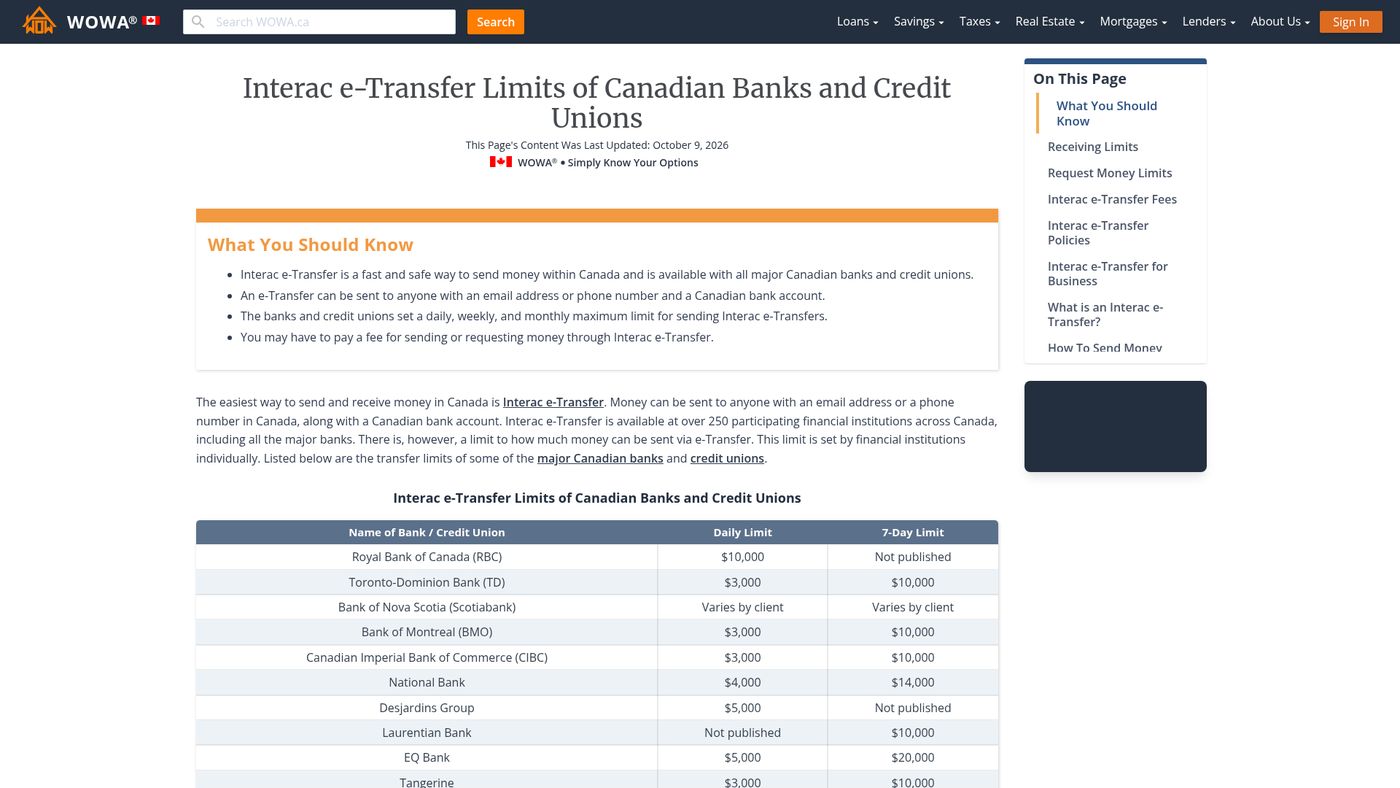
CIBC's Interac e-Transfer limits for personal accounts are comparable to those set by other major Canadian financial institutions, with some key differences in monthly caps and fees. The daily sending limit of $3,000 per 24 hours is standard across TD Bank, BMO, and CIBC for personal accounts. RBC allows a higher per-transfer limit of up to $10,000 for some clients. The weekly limit of $10,000 at CIBC is similar to the $10,000 per 7-day period at TD Bank. Where CIBC stands out is with its monthly limit of $30,000 per 30 days, which is among the most generous. BMO does not publish a single standard monthly limit, with typical ranges between $20,000 and $30,000 depending on account type. For receiving limits, most Canadian banks have a standard per-transfer receiving limit of $25,000, though some, like Tangerine, allow higher daily and weekly receiving caps for certain account tiers. Regarding fees, CIBC's standard $1.50 charge is waived on several account types, similar to how many banks offer free e-Transfers on premium chequing packages. CIBC's digital brand Simplii Financial offers free e-Transfers with no monthly fee, providing an alternative for customers seeking to avoid fees. When comparing limits, it is clear that CIBC's $30,000 monthly cap works in your favour if you send larger sums regularly, while its daily limit is consistent with the industry standard.
The following table provides a clear comparison of sending limits across major banks for personal accounts. For CIBC personal chequing accounts, the standard Interac e-Transfer limit is $3,000 per 24-hour period, $10,000 per 7-day period, and $30,000 per 30-day period. Other banks may have different limits, such as TD Bank which charges $3,000 per transfer and $3,000 per 24 hours. CIBC's monthly limit of $30,000 is among the highest monthly allowances at a major Canadian bank.
| Bank | Per 24-Hour Limit | Per 7-Day Limit | Per 30-Day Limit |
|---|---|---|---|
| CIBC | $3,000 | $10,000 | $30,000 |
| TD Bank | $3,000 | $10,000 | Not Published |
| RBC | Up to $10,000 | Not Published | Not Published |
| BMO | $3,000 | $10,000 - $14,000 | $20,000 - $30,000 |
This comparison shows that while daily limits are largely consistent, the monthly allowance can be a deciding factor for customers who move larger sums regularly. CIBC allows up to $30,000 per 30-day period for personal accounts. It is always best to verify your specific limits within your own online or mobile banking platform, as they can differ based on your account profile and history. CIBC may set limits for the amount of money you are allowed to send, receive, or request, and these limits may differ for some clients.
Frequently asked questions
What are the CIBC e-Transfer limits for 2026?
For 2026, the standard CIBC Interac e-Transfer limits are $3,000 per 24-hour period, $10,000 per 7-day period, and $30,000 per 30-day period. These are rolling limits, not calendar-based, and apply to the amount of money you can send from a personal chequing account. The limits may differ for some clients based on their account type and banking history, so it is best to check your personal limit in online or mobile banking. These figures are confirmed by CIBC's own materials and represent the default policy for the year.
Does CIBC charge a fee for Interac e-Transfers?
CIBC charges a $1.50 fee per Interac e-Transfer sent from standard personal chequing accounts. This fee is waived for clients with accounts like the CIBC Smart Account, Everyday Chequing Account, or Smart Plus Account, and for all clients aged 65 and older. Receiving e-Transfers is always free. For business accounts, the fee is $2.00 per Interac e-Transfer for Business payment. The standard $1.50 charge is mostly relevant for legacy or non-listed accounts, as most common chequing accounts have the fee waived.
How can I increase my CIBC e-Transfer limit?
You can contact CIBC client care to request an increase to your Interac e-Transfer limits. Approval is not automatic and may depend on factors like your account history and standing. Switching to a business account can provide much higher limits, such as up to $25,000 per transfer. CIBC may review your account activity before approving any limit increase, and accounts with a longer track record and higher balances are more likely to be approved. Keep in mind that CIBC sets these limits and they may be adjusted for security or regulatory reasons at the bank's discretion.
How long does a CIBC e-Transfer take to arrive?
If the recipient has Autodeposit enabled, the transfer is typically deposited within minutes. If they do not have Autodeposit, they must answer a security question to accept the funds, and the money usually appears in their account within 30 minutes of acceptance. Transfers can remain pending for up to 30 days before they expire and are returned to the sender if not accepted. If a transfer has been pending for an unusually long time, remind the recipient to check their email or contact CIBC for assistance.
Can I cancel a CIBC Interac e-Transfer?
You can cancel a sent Interac e-Transfer only if the recipient is not registered for Autodeposit and has not yet accepted the money. You must submit a stop payment request through online or mobile banking, and a $3.50 fee applies if the request is successful. Once deposited, a transfer cannot be cancelled or reversed by CIBC. You would need to contact the recipient directly to arrange a return of the funds. The process to stop a transfer involves reviewing the list of transfers, selecting the one to stop, and agreeing to the terms and conditions.
What is the limit for requesting money with CIBC?
The Request Money feature allows you to ask a contact for up to $1,000 per transaction. You can have a maximum of 10 unfulfilled request transactions at one time. According to Interac, you can have up to 200 active Interac e-Transfer Request Money transactions at a time. When the request is fulfilled, the standard $1.50 sending fee applies unless your account type has a waiver. To send a request, you must confirm you have an existing relationship with the contact by selecting a checkbox.
Sources and further reading
- How to Send and Receive Money with Interac e-Transfer cibc.com
- How much can you transfer with a CIBC smart account in ... wise.com
- CIBC e-Transfer Limit 2026: $3,000/day, $10,000/week biller.ca
- Interac e-Transfer Limits in Canada (2026): Full Breakdown remitbee.com
This article explains how things work and is not financial, tax or legal advice. Rules, limits and rates change, so check the current figures with the Canada Revenue Agency, your province or your financial institution before you act.