BMO Interac e-Transfer limits for personal accounts are structured across multiple tiers, with a standard per-transfer and daily limit of $3,000, a weekly limit of $10,000, and a monthly limit of $20,000. These limits are rolling, meaning your cumulative sends over a 7-day or 30-day period cannot exceed the caps. Understanding these limits is crucial for Canadians who use e-Transfers for personal payments, splitting bills, or receiving funds from clients. While BMO's default limits are standard, they can vary by account type and individual client profile, and they differ significantly for business banking customers.
Understanding BMO's Layered e-Transfer Limits
BMO structures its Interac e-Transfer send limits across four distinct timeframes: per transaction, daily, weekly, and monthly. The standard published figures for personal accounts are a $3,000 maximum per individual transfer and a $3,000 cap on the total amount sent in a single day. Beyond the daily limit, BMO also enforces a rolling weekly limit of $10,000 and a rolling monthly limit of $20,000. This layered approach means you could send a $3,000 transfer one day but be blocked from sending more later in the week if your seven-day cumulative total has reached $10,000. These limits are designed as a security measure and are applied on a rolling basis, not a calendar week or month. Your specific limits are displayed within your BMO online banking portal or mobile app under the section for transaction limits. It is important to note that these are default figures and your personal limits may be lower based on your account history and relationship with the bank. Some clients have reported receiving notifications of different limit structures, such as $7,500 for 24 hours, $15,000 for 7 days, and $30,000 for 30 days, highlighting the individual nature of these caps.
How Limits Vary by Account Type and Client
While BMO publishes standard limit figures, actual limits can differ significantly from one client to another. Some BMO clients report receiving notifications of increased limits, such as a $5,000 daily limit or even a $10,000 daily limit with corresponding weekly and monthly increases. These variations are determined by BMO on an individual basis, often influenced by factors like the client's credit history, account tenure, and overall banking relationship. The type of personal account you hold also affects your limits and fees. Sending Interac e-Transfers is free from BMO's standard personal chequing accounts. For clients who send a high volume of transfers, BMO's Performance, Premium, and Blue Rewards banking plans offer unlimited free e-Transfers. In contrast, sending from a personal savings account may incur a fee per transaction. Business accounts operate under a completely different limit structure, with the capability to send up to $25,000 in a single transfer and to send up to 50 transfers at once. Business clients can also upload a payment file containing up to 100,000 e-Transfers, a feature designed for high-volume commercial operations.
Step-by-Step Guide to Sending an e-Transfer with BMO
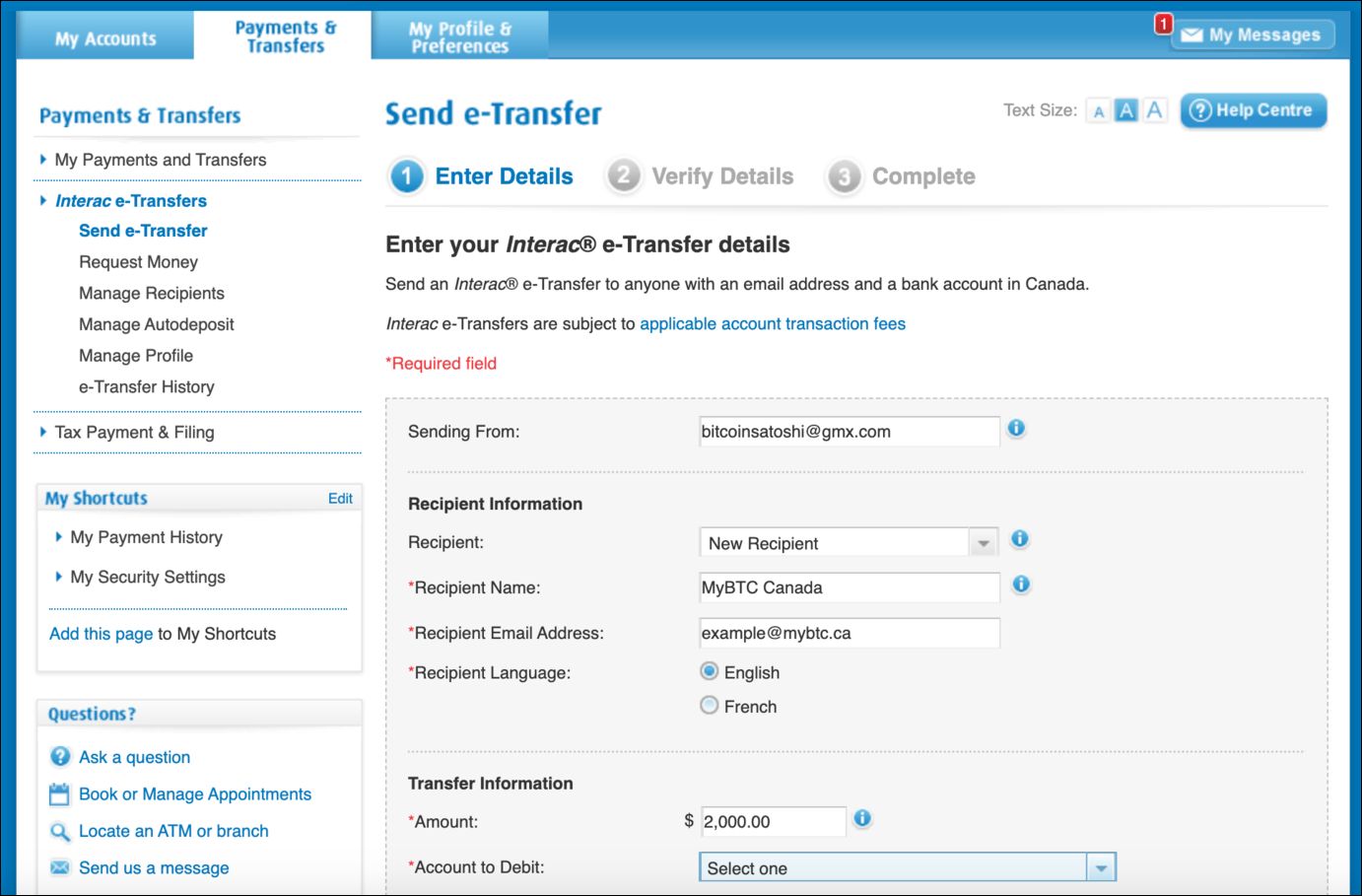
Sending an Interac e-Transfer through BMO is a straightforward process completed via online banking or the BMO mobile app. You must first log into your account and find the transfer or send money section. Select the option to send an Interac e-Transfer and choose the account you wish to debit the funds from. You will then need to enter the recipient's email address or mobile phone number, the exact amount you wish to send, and a security question with its answer. The recipient will need this answer to deposit the funds unless they have Autodeposit enabled. Before confirming, the system will show you your remaining send limits for the day, week, and month. Once you review and confirm the details, the transfer is initiated. For recipients with Autodeposit, the funds typically arrive within minutes. For others, an email or text notification is sent with instructions on how to deposit the money, which they must do within 30 days before the transfer expires. The process for requesting money is similar, where you can send a request for payment to another person who then authorizes the transfer from their own bank account.
Fees Associated with BMO e-Transfers
BMO's fee structure for Interac e-Transfers is clear and largely consumer-friendly. Sending an e-Transfer is free for clients using BMO's standard personal chequing accounts. Receiving an e-Transfer is always free, regardless of the type of BMO account you hold. There are, however, specific fees for certain actions. Cancelling a sent e-Transfer is free if done on the same day it was sent. If you cancel a transfer after the same day, BMO charges a $5.00 fee, and any send fee already paid is non-refundable. If a transfer expires after 30 days because the recipient did not deposit it, the funds are returned to you, and BMO may charge a reclaim fee. It is important to proactively cancel any unclaimed transfers to avoid this potential charge. For business accounts, fee structures vary by plan, but many business banking packages include a set number of free e-Transfers per month. Other banks like CIBC charge $1.50 per transfer outside of their waived accounts, making BMO's unlimited plans a cost-effective option for frequent senders.
How BMO's Limits Compare to Other Major Banks
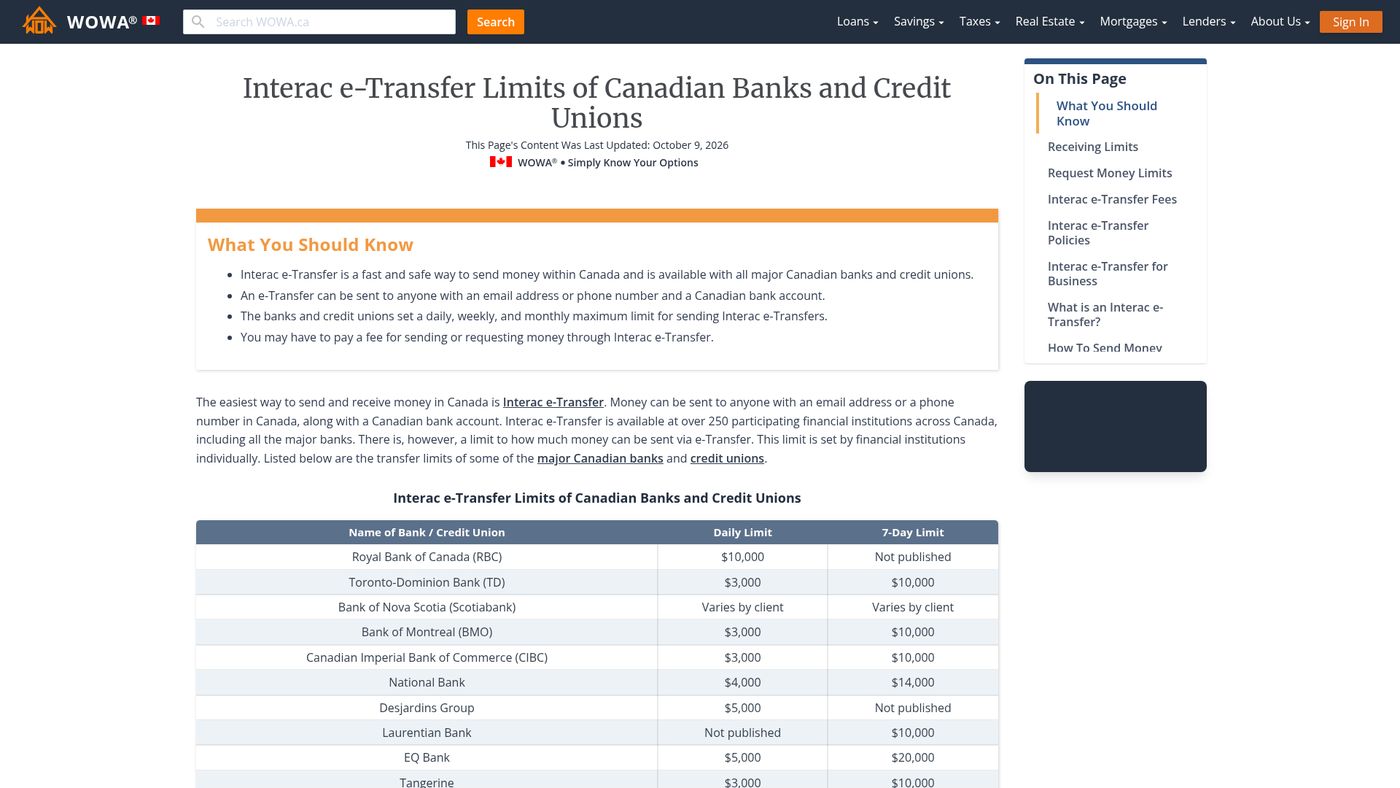
BMO's standard $3,000 daily e-Transfer limit is common among Canada's large banks, matching the default limits at TD and CIBC. Where BMO's structure is notable is in its explicit weekly and monthly rolling limits, which not all banks publish publicly. RBC allows clients to send up to $10,000 per day through its mobile app after identity verification, though it does not publish specific weekly or monthly caps. Scotiabank allows clients to set their own daily limit within the app, subject to a maximum based on their account type. For receiving funds, many institutions, including Desjardins and EQ Bank, publish a receiving limit of $25,000 per incoming transfer. BMO, along with RBC, TD, Scotiabank, and CIBC, does not publish a specific receiving limit, meaning large incoming transfers are assessed on a case-by-case basis. Credit unions often have much higher limits. For example, Innovation Credit Union offers a $10,000 per transfer limit with daily and monthly maximums of $20,000 and $100,000 respectively. The table below outlines the sending limits for personal accounts at major institutions as of 2026.
| Financial Institution | Daily Send Limit | Weekly Send Limit | Monthly Send Limit |
|---|---|---|---|
| BMO | $3,000 | $10,000 | $20,000 |
| RBC (via mobile app) | Up to $10,000 | Not published | Not published |
| TD | $3,000 | Not published | Not published |
| Scotiabank | Client-set (varies) | Not published | Not published |
| CIBC | $3,000 | Not published | Not published |
| Tangerine | $3,000 | $10,000 | $30,000 |
| Wealthsimple | $5,000 | $10,000 | $30,000 |
Common Issues and How to Resolve Them
Several common issues can prevent a BMO Interac e-Transfer from completing successfully. The most frequent cause is hitting one of your rolling limits. You must check not just your daily remaining limit but also your weekly and monthly totals in your online banking. Transfers can also fail due to insufficient funds in your account, an incorrect recipient email or phone number, or if the recipient's bank is not a participating Interac institution. If a transfer is marked as pending for an unusually long time, it may have been flagged for review by BMO's fraud detection systems. System maintenance periods can also cause temporary delays. For recipients, a transfer may not arrive if the notification email went to a spam folder or if they have reached their own financial institution's receiving limit. If a transfer seems stuck, the first step is to log into your BMO account and check the transfer status in your history. For unresolved issues, you can contact BMO customer service at 1-877-225-5266 for assistance. Delays can also occur if an intermediary bank is involved, as noted by services like Wealthsimple which warn that holds by intermediaries can take up to one business day to resolve.
Options for Sending Larger Amounts
If BMO's standard personal e-Transfer limits are insufficient for your needs, you have several options. The first is to contact BMO directly to request a limit increase. The bank reviews such requests on an individual basis, considering your account history and profile. Success is not guaranteed, and even with a higher daily limit, the weekly and monthly caps may still apply. For regular, high-value transactions, opening a BMO business account is a practical solution. Business accounts support much higher limits, allowing single transfers of up to $25,000 and the ability to send multiple transfers simultaneously. For personal users, alternative methods for moving larger sums include electronic funds transfers (EFTs), which move money directly between bank accounts using routing numbers, or writing a cheque. EFTs typically have higher limits but take one to three business days to clear, unlike the near-instant nature of e-Transfers. Some Canadians use Interac e-Transfer for its convenience in paying contractors or vendors who do not accept credit cards due to processing fees.
Key Rules for Cancelling and Receiving Transfers
BMO has specific rules governing the cancellation and receipt of Interac e-Transfers. You can cancel a sent e-Transfer as long as the recipient has not deposited the funds. This is done through your BMO online banking or app by locating the transfer in your history and selecting the cancel option. Cancellation is free on the same day the transfer is sent. If you cancel after the same day, a $5.00 fee is charged. Once a recipient has deposited the money, the transaction cannot be reversed by BMO. You would need to contact the recipient directly to request a return payment. On the receiving end, funds are typically available within minutes if the sender's bank releases them promptly and you have Autodeposit enabled. Without Autodeposit, you have 30 days to answer the security question and deposit the money. If you do not act within 30 days, the transfer expires, and the funds are returned to the sender. Enabling Autodeposit is recommended for frequent recipients as it speeds up the process and eliminates the risk of forgetting a security answer. This is particularly useful for freelancers and self-employed Canadians who receive client payments regularly.
Security and Scam Prevention for e-Transfers
While Interac e-Transfer is a secure system, users must be aware of common scams. A frequent scam involves a sender claiming a transfer did not arrive after you have confirmed it was deposited into your account. Once a transfer is deposited, it cannot be reversed by the bank, so such a claim is often an attempt at fraud. Always verify the identity of the sender before accepting a transfer, especially from new contacts. Enabling Autodeposit adds a layer of security by ensuring funds go directly to your account without the need for a security question that could be intercepted. Be cautious of emails or texts pretending to be from Interac or your bank asking you to click on links or provide personal information. These are phishing attempts. BMO's fraud detection systems may flag and hold unusual transactions for review, which can cause delays but serves as a protective measure. If you suspect fraud on your account, contact BMO immediately. For business users, services exist that can read Autodeposit notification emails and automatically record transfers alongside invoices and schedules, helping to maintain accurate financial records.
Frequently asked questions
What is the maximum amount I can send in one BMO e-Transfer?
For standard personal accounts, the maximum amount per individual Interac e-Transfer is $3,000. However, some clients report having higher per-transfer limits, such as $5,000 or $10,000, based on their individual account standing with BMO. Business banking accounts offer significantly higher limits, with the ability to send up to $25,000 in a single transfer. Your specific per-transfer limit is displayed in your BMO online banking or mobile app when you initiate a transfer. The Interac system itself can handle at least $25,000 per transfer, as confirmed in Interac e-Transfer for Business documentation.
How do I check my current BMO e-Transfer limits?
You can view your current Interac e-Transfer send limits by logging into your BMO online banking portal or the BMO mobile app. Find the section for account details or transfers, often labelled as transaction limits or transfer limits. This section will show your remaining available send amounts for the 24-hour, 7-day, and 30-day rolling periods. These figures are updated in real-time as you make transfers. The display might show something like 'Remaining limits for 24 hours: $3,000.00. For 7 days: $9,946.40. For 30 days: $19,946.40', giving you a precise view of your remaining caps.
Can I increase my BMO e-Transfer limit?
Yes, you can contact BMO to request an increase to your Interac e-Transfer send limits. The bank evaluates these requests on a case-by-case basis, considering factors like your account history, credit profile, and banking relationship. It is important to note that even if your daily limit is increased, the weekly and monthly rolling limits may still apply unless you are upgraded to a business banking account, which has a different limit structure. Some clients have successfully had limits raised to $10,000 daily, $20,000 weekly, and $30,000 monthly, though this is not guaranteed for all.
Are there fees to receive an e-Transfer with BMO?
No, receiving an Interac e-Transfer into any BMO account is always free. This policy applies to all personal and business account types. Fees are only associated with sending transfers from certain account types, cancelling transfers after the same day, or reclaiming funds from an expired transfer that was not cancelled. This contrasts with some other financial institutions that may charge a fee for incoming international e-Transfers, though BMO's policy for domestic receipts is consistently free.
What happens if my e-Transfer is not deposited?
An Interac e-Transfer remains available for the recipient to deposit for 30 days from the date it is sent. If the recipient does not deposit it within that time, the transfer expires. The funds are then automatically returned to your BMO account. BMO may charge a reclaim fee for this process, so it is advisable to cancel any unclaimed transfers yourself before the 30-day expiry to avoid potential charges. Other banks, like RBC, also charge a $5 reclaim fee for expired transfers, making this a common industry practice.
How does BMO's e-Transfer limit compare to RBC or TD?
BMO's standard daily send limit of $3,000 is identical to the default limits at TD and CIBC. RBC offers a higher potential daily limit of up to $10,000 for clients using its mobile app after completing identity verification. Scotiabank allows clients to set their own daily limit within its app. A key difference is that BMO publishes explicit weekly ($10,000) and monthly ($20,000) rolling limits, while several other major banks do not publicly specify these cumulative caps. For receiving, BMO, like RBC and TD, does not publish a specific limit, whereas institutions like EQ Bank and Desjardins have a published $25,000 receiving limit.
Sources and further reading
- BMO e-Transfer Limit 2026: $3,000/day, $10,000/week, Biller.ca biller.ca
- A guide to e-Transfer Limits and Fees when using Interac wise.com
- Interac e-Transfer Limits of Canadian Banks wowa.ca
- BMO Increased Interac e-Transfer Send Limits highinterestsavings.ca
This article explains how things work and is not financial, tax or legal advice. Rules, limits and rates change, so check the current figures with the Canada Revenue Agency, your province or your financial institution before you act.