Filing your taxes online in Canada is a faster, more accurate, and often free process. You can complete and submit your income tax and benefit return directly to the Canada Revenue Agency using NETFILE-certified software. This method provides immediate confirmation of receipt and typically results in a faster refund, especially if you have direct deposit set up. Understanding the key dates, required documents, and free filing options can help you meet your obligations efficiently.
Understanding NETFILE and Online Filing
NETFILE is the electronic tax-filing service implemented by the Canada Revenue Agency that allows you to submit your income tax and benefit return directly over the internet. This service, launched in 2001, provides a quick alternative to mailing a paper return. To use NETFILE, you must prepare your return using software that has been certified by the CRA for the current tax year. Many commercial tax preparation software products seek and receive this certification annually. Once your return is completed in the software, you can transmit it securely to the CRA through the NETFILE system. This process gives you an almost immediate confirmation that your return has been received and accepted for processing. The CRA does not charge a fee for using the NETFILE service itself, though the software you use may have its own costs. All major tax software providers like TurboTax, H&R Block, UFile, and CloudTax obtain NETFILE certification for their products each year.

Key Dates and Deadlines for Filing
Meeting tax deadlines is crucial to avoid interest charges, penalties, and potential reductions in government benefits. The payment deadline for any balance owing on your 2026 tax return is April 30, 2027, and this date applies to all taxpayers. For most individuals, this is also the deadline to file your return. However, if you or your spouse or common-law partner are self-employed, the filing deadline is extended to June 15, 2027. It is important to note that any tax owing is still due by April 30, even for self-employed individuals. Filing your return well before these dates, especially if you are expecting a refund, allows you to receive your money sooner and ensures you have ample time to address any issues. Interest on any overdue amounts begins accruing on May 1. Late filing can also affect the calculation of benefits like the Canada Child Benefit or GST/HST credit.
Gathering Your Documents and Information
Before you begin filing online, you need to collect all necessary supporting documents, which typically arrive by the end of February. These documents report your income and support any deductions or credits you plan to claim. Common income documents include T4 slips for employment income, T5 slips for investment income, and slips for pension income like Old Age Security or Canada Pension Plan benefits. You should also gather receipts for expenses related to deductions and credits, such as RRSP contribution slips, medical expense receipts, or charitable donation slips. Using the CRA's Auto-fill my return service through your certified software can automatically pull many of the information slips the CRA already has on file, such as T4s and T5s, which saves time and improves accuracy. The software will guide you to enter information for various income sources, including employment and self-employment income, pension and savings plan income, investment income, and benefit income like Employment Insurance.
- Employment Income: T4 slips from your employer.
- Self-Employment Income: Records of business income and expenses.
- Pension Income: Slips for OAS, CPP, QPP, or foreign pensions.
- Investment Income: T5 and T3 slips for interest, dividends, and capital gains.
- Benefit Income: T4E for Employment Insurance, workers' compensation slips.
- Deduction Records: RRSP contribution receipts, charitable donation slips, medical expense receipts.
- Credit Documentation: Receipts for child care, moving expenses, disability tax credit certificate.
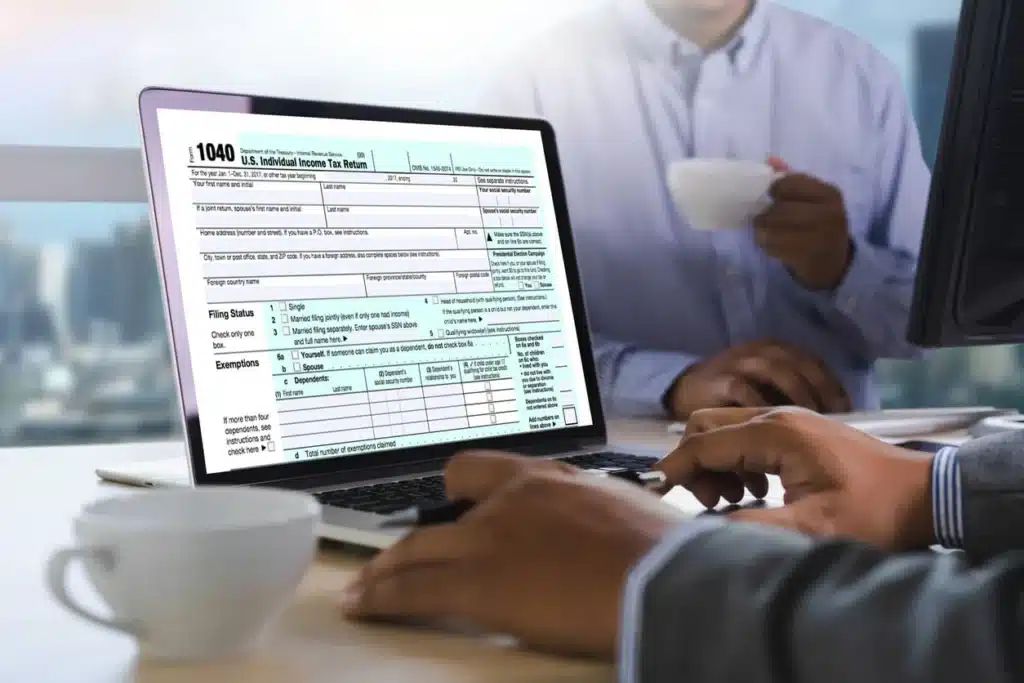
Options for Filing Your Taxes Online
There are several paths to file your taxes online, ranging from completely free options to paid software with expert support. Your choice often depends on the complexity of your tax situation. For straightforward returns, you may qualify to file for free using NETFILE-certified software that offers a free tier. If your situation is more complex, involving elements like self-employment income, rental income, or capital gains, you may need to use a paid version of tax software. Some providers also offer hybrid models where you complete the return yourself with unlimited expert help available, or full-service options where a tax expert completes the return for you. Residents of Quebec must file two separate returns and need software certified by both the CRA and Revenu Québec. Software tiers are often designed for specific situations, such as a free plan for simple T4 income, a self-employed plan for freelancers, an investor plan for capital gains, or a family plan for homeowners and those with donations.
| Software Type | Typical Cost (Example) | Best For |
|---|---|---|
| Free Tier | $0 | Single T4, pension income, students, first-time filers. |
| Self-Employed/Business | $69.99 per return (example) | Freelancers, small business owners with income reporting and business deductions. |
| Investor/Premium | Varies | Individuals with capital gains, dividends, and advanced investment scenarios. |
| Expert Assist | $60 (promotional example) | Those who want unlimited help and a final review from a tax expert. |
| Full Service | Varies | Individuals who prefer a dedicated expert to handle their return from start to finish. |
Eligibility for Free Online Tax Filing
Many Canadians with simple tax situations can file their returns online at no cost. Free filing is typically available if your income sources and claims are limited. Common eligibility criteria for free software tiers include having only employment income from a single T4 slip, or income solely from a Canadian government pension like OAS or CPP. Other qualifiers can include being a student with tuition fees, a newcomer filing a Canadian tax return for the first time, or having a total family income below a specific threshold, such as $20,000. These free options generally cover only standard non-refundable tax credits and do not support more complex items like RRSP deductions, rental income, or self-employment expenses. It is important to check the specific eligibility rules of the software you choose before starting. For instance, some free programs are absolutely free if you are reporting only one single T4 or pension income and are entitled only to standard non-refundable tax credits with no other deductions like RRSPs or charitable donations.

Common Deductions and Credits to Consider
When filing your return, you can reduce your taxable income and the tax you owe through various deductions and credits. Deductions, like Registered Retirement Savings Plan contributions, directly reduce your total income. Credits, such as the disability amount, reduce the amount of tax you owe. Some credits are non-refundable, meaning they can only reduce your tax to zero, while refundable credits can result in a payment to you even if you owe no tax. Common deductions you may be eligible for include contributions to a Registered Pension Plan after tax, RRSP contributions, and employment expenses. Common credits include the disability amount, the disability amount transferred from a dependant, and the volunteer firefighters' and search and rescue volunteers' amount. The tax software you use will guide you through identifying which deductions and credits apply to your situation, ensuring you claim everything you are entitled to without needing to send in receipts unless the CRA requests them later.
The Step-by-Step Filing Process
Filing online involves a series of clear steps, largely facilitated by the tax software you select. First, you must choose a NETFILE-certified software product for the current tax year and create an account. Next, you will enter your personal information and begin inputting data from your income slips and receipts. Using the Auto-fill my return feature through a secure connection to your CRA account can pre-fill much of this information. The software will then guide you through sections for deductions and credits, calculating your refund or balance owing as you go. After a thorough review for accuracy, you submit the return electronically through the NETFILE system within the software. Finally, you will receive a confirmation number and can track the status of your return through your CRA account. Many software platforms allow you to upload your previous year's return to import relevant information, connect to the CRA to pull current tax slips, and offer tools that scan your return for errors before you file.
- Select CRA NETFILE-certified tax software (e.g., TurboTax, H&R Block, UFile, CloudTax).
- Gather all income slips (T4, T5, etc.) and receipts for deductions/credits.
- Use Auto-fill my return to securely import data the CRA already has.
- Enter any remaining income, deductions, and credits as guided by the software.
- Review the completed return for accuracy. Software often has error-checking tools.
- Submit the return electronically via NETFILE and receive a confirmation number.
- Save your notice of assessment and confirmation for your records.
Receiving Your Refund and Notice of Assessment
After successfully filing your return online, the CRA will process it and issue a notice of assessment. The speed of your refund is heavily influenced by how you choose to receive it. If you have direct deposit set up with the CRA, you can receive your refund within 8 to 10 days of the CRA accepting your return. If you do not have direct deposit, a refund cheque will be mailed, which can take up to 6 weeks to arrive. Your notice of assessment, which confirms the details of your processed return and outlines any changes the CRA made, will be available in your CRA My Account. It is important to review this document and keep it for your records, as it is the official statement of your filed tax return for that year. The notice of assessment will also confirm your RRSP contribution room for the following year and any carry-forward amounts for deductions or credits.
Common Mistakes to Avoid
While online software reduces errors, being aware of common pitfalls can ensure a smoother filing experience. A frequent mistake is missing the deadline for payment, which incurs interest on any amount owed starting May 1. Another error is entering information incorrectly from your tax slips, such as transposing numbers on a T4. Failing to report all sources of income, including freelance income or investment earnings, can lead to penalties. Overlooking eligible deductions or credits, such as moving expenses or the disability amount, means you might not get your maximum refund. Finally, not keeping copies of your filed return, supporting documents, and notice of assessment can cause problems if the CRA requests a review or you need the information for future years. Using the software's error-checking features and taking time to review each section can help avoid these issues.
Frequently asked questions
Is it really free to file taxes online in Canada?
Yes, many Canadians can file their taxes online for free. This is possible if you have a straightforward tax situation, such as reporting only employment income from a single T4, receiving Canadian government pension income like OAS or CPP, being a student, or having a modest family income. You can use free options like NETFILE certified software with a free tier, CRA SimpleFile, or a free tax clinic. However, free filing may not cover more complex situations involving self employment income, rental income, or investment gains, so it is important to check eligibility details before starting.
How long does it take to get my tax refund when I file online?
When you file your taxes online, you can receive your refund very quickly. If you have direct deposit set up with the CRA, you may get your refund in as little as 8 to 10 days after the CRA accepts your return. If you do not have direct deposit and instead receive a cheque by mail, it can take up to 6 weeks to arrive. Filing online is faster than paper filing, and using direct deposit is the fastest method to receive your refund, providing an almost immediate confirmation of submission.
What is the deadline to file my taxes online?
The key deadline for most individuals to file and pay taxes for the 2026 tax year is April 30, 2027. If you or your spouse or common law partner are self employed, the filing deadline is extended to June 15, 2027. However, it is crucial to note that any tax owing is still due by April 30, 2027, regardless of your employment status. Missing the payment deadline will result in interest charges accruing on the amount owed, so it is important to be aware of these dates.
What is NETFILE?
NETFILE is an electronic tax filing service implemented by the Canada Revenue Agency in 2001. It allows most Canadians to file their current year income tax and benefit return directly to the CRA over the internet. To use NETFILE, you must prepare your return using CRA certified tax software, such as TurboTax, H&R Block, or UFile. This service provides a quick alternative to mailing a paper return and offers immediate confirmation that your return has been submitted and accepted by the CRA.
Do I need to file a different return if I live in Quebec?
Yes, residents of Quebec must file two separate tax returns. You are required to file a federal T1 return with the Canada Revenue Agency and a provincial TP1 return with Revenu Québec. This is unique to Quebec, as it is the only province with its own tax administration that requires a separate provincial return. To file both returns online, you need to use tax software that is certified for NETFILE by the CRA and also certified by Revenu Québec for provincial filing.
What is the CRA's Auto-fill my return feature?
Auto-fill my return is a convenient feature available through your CRA My Account and compatible NETFILE certified tax software. It automatically pulls information from tax slips that the CRA already has on file for you, such as T4s for employment income and T5s for investment income, and pre fills this data into your tax return. This service saves significant time on manual data entry and helps reduce the chance of errors. You can use this feature after logging into your secure CRA account through the approved software.
Sources and further reading
- How to file taxes online for free in Canada wealthsimple.com
- TurboTax® Canada, Best Tax Filing Software 2025-26 turbotax.intuit.ca
- Get Started for Free | Canadian Online Tax Software hrblock.ca
- File for FREE with UFileFREE ufile.ca
- CloudTax: File Taxes Online in Canada cloudtax.ca
This article explains how things work and is not financial, tax or legal advice. Rules, limits and rates change, so check the current figures with the Canada Revenue Agency, your province or your financial institution before you act.