To check an HST number in Canada, you use the Canada Revenue Agency's free online GST/HST Registry. This verification confirms whether a business is properly registered to charge GST/HST, which is essential for claiming Input Tax Credits. The process involves entering the supplier's nine-digit GST/HST number and legal business name into the CRA's official database. Performing this check protects your business from denied credits and penalties during a CRA audit.
The Importance of Verifying GST/HST Numbers
Verifying a supplier's GST/HST number is a critical step for any Canadian business claiming Input Tax Credits. The Canada Revenue Agency requires businesses to obtain sufficient evidence before claiming these credits, as stipulated in the Excise Tax Act. When you pay GST or HST to a supplier, you are entitled to recover that tax as an Input Tax Credit, but only if the supplier was registered and authorized to charge it. If you claim an ITC based on an invoice from an unregistered entity, the CRA will deny the credit, resulting in an unexpected tax expense. This verification is not just a best practice but a fundamental aspect of tax compliance that safeguards your business's financial health. Regular checks help detect invalid, expired, or fraudulent registration numbers before they impact your filings.
The CRA enforces strict documentation rules, and the validity of the GST/HST number is a core component. During an audit, the CRA will examine your supplier invoices and cross-reference the provided GST/HST numbers with their official registry. A single invalid number can lead to the disallowance of that credit and may trigger a broader review of your claims. Furthermore, businesses operating in Quebec must also verify QST numbers separately through Revenu Québec. The process of verification demonstrates due diligence, which can be a mitigating factor if discrepancies are found. Ultimately, checking HST numbers transforms an invisible financial risk into a managed, routine part of your accounting procedures.
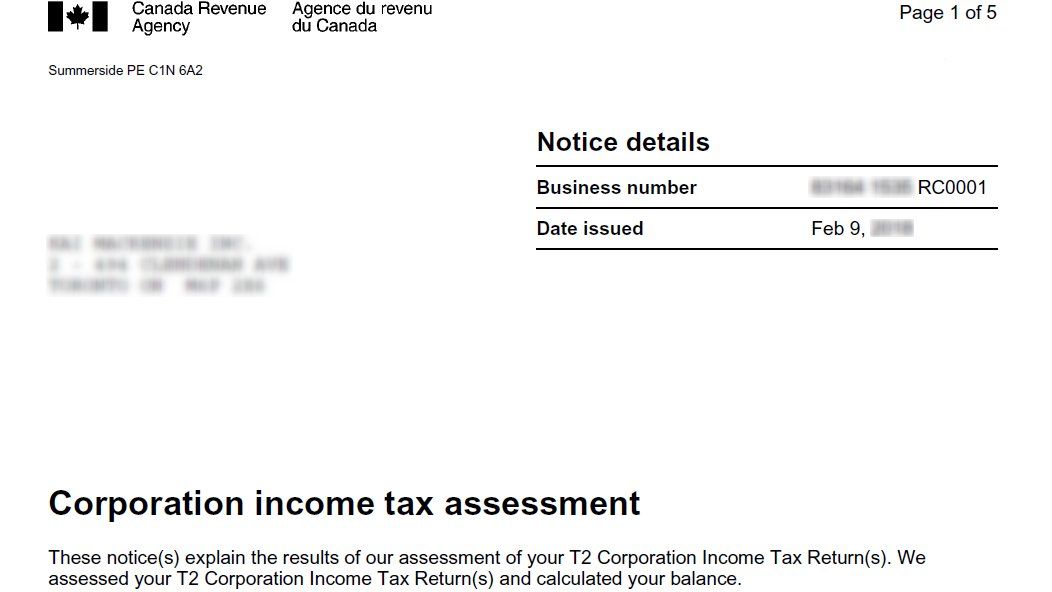
What You Need to Use the GST/HST Registry
To perform a verification using the CRA's GST/HST Registry, you must gather specific information from your supplier's invoice. The primary piece of data is the supplier's full GST/HST registration number. This number is a nine-digit business number followed by the program identifier RT0001. For example, a valid number appears as 123456789 RT0001. You will also need the legal business name of the supplier exactly as it is registered with the CRA. It is crucial to use the legal name and not a trade name or doing business as name, as mismatches are a common cause of verification failure. The third essential element is the date of the taxable supply, meaning the invoice date for the transaction in question.
The registry checks the status of the registration on that specific date, as a supplier's status can change. Having these three pieces of information ready ensures a smooth and accurate search. If you do not have the full GST/HST number, you may search using the business name alone through the registry's organization browse function, though this is less precise. It is recommended to always obtain a proper tax invoice from your suppliers that includes all required details. A compliant tax invoice should clearly show the supplier's name, business number, GST/HST registration number, the invoice date and number, a description of the goods or services, and the amount of GST/HST charged separately.
Step-by-Step Guide to Using the CRA GST/HST Registry
Using the CRA's online GST/HST Registry is a straightforward process. First, go to the official CRA website and locate the GST/HST Registry tool. You can find this by searching for GST/HST Registry on the CRA site. Once on the registry page, you will see a search form. Enter the supplier's nine-digit GST/HST number including the RT0001 suffix into the designated field. Next, enter the supplier's legal business name exactly as it appears on their official registration. Finally, input the date of the transaction, which is the invoice date for the supply. After submitting this information, the registry will process your query and return a result.
The result will indicate whether the supplier was registered for GST/HST on that specific date. A successful verification will show the status as registered and may provide the effective date of registration. If the search returns a not registered status, you should not claim an Input Tax Credit for that transaction. In such cases, you must contact the supplier to resolve the issue, which may involve them providing a corrected invoice or proof of registration. It is highly recommended to save a PDF or print the confirmation page from the registry for your records. This documentation serves as proof of your due diligence and can be invaluable during a CRA review or audit.
- Obtain the supplier's 9-digit GST/HST number with the RT0001 suffix from their invoice.
- Visit the official CRA website and access the GST/HST Registry tool.
- Enter the GST/HST number, the supplier's legal name, and the invoice date into the search form.
- Review the search result to confirm the registration status was active on the transaction date.
- Save or print the confirmation page for your audit records.
- If the number is invalid, contact the supplier for a corrected invoice before claiming any ITC.
Common Verification Errors and How to Avoid Them
Several common errors can lead to a failed verification or a denied Input Tax Credit. The most frequent issue is a mismatch between the business name on the invoice and the legal name registered with the CRA. Many businesses operate under a trade name, but if they have not registered that trade name with the CRA, the legal name must be used for verification. Another common error is using an expired or revoked GST/HST number. Registrations can become inactive if a business ceases operations or fails to meet its filing obligations. The registry allows you to check the status on the exact transaction date, which is vital for catching these lapses.
Entering the GST/HST number incorrectly is another pitfall, such as omitting the RT0001 suffix or transposing digits. Always copy the number directly from the invoice. Some businesses may also charge GST/HST when they are not required to be registered, typically if their annual revenue is under the $30,000 small supplier threshold. Paying tax to such a supplier means you cannot claim an ITC, even if they provide a number. To avoid these errors, implement a standard procedure for onboarding new suppliers that includes a mandatory registry check. Train accounting staff to recognize the components of a valid tax invoice and to question any document that lacks them.
Quebec's QST Verification and Provincial Nuances
For businesses operating in Quebec or dealing with Quebec-based suppliers, verifying the Quebec Sales Tax number is an additional necessary step. The QST is administered separately by Revenu Québec. The CRA's GST/HST Registry does not contain QST registration information. To verify a QST number, you must use the Revenu Québec TVQ Registry, which functions similarly to the federal tool. This means businesses in Quebec often need to perform two separate verifications for a single supplier one for GST/HST and another for QST to ensure full compliance and protect both Input Tax Credits and Input Tax Refunds.
The requirement to verify both taxes underscores the importance of understanding provincial tax administration. For transactions within provinces that use the Harmonized Sales Tax, the federal registry suffices. However, in Quebec, which administers its own sales tax, the separate verification is mandatory. Businesses should integrate checks for both registries into their accounts payable processes when dealing with Quebec suppliers. Failing to verify a QST number can lead to the same negative consequences as an invalid GST/HST number, namely the denial of input tax refunds during an audit by Revenu Québec.
What to Do If a Supplier's Number is Invalid
If the GST/HST Registry indicates that a supplier's number is not valid or not registered on your invoice date, you must take immediate action. Do not claim an Input Tax Credit for that transaction. The first step is to contact the supplier directly and inform them of the discrepancy. It is possible they made an error on the invoice, such as transposing numbers, or they may have recently registered and the CRA system has not yet updated. Request that the supplier provide a corrected invoice with a valid GST/HST number. If the supplier confirms they are not registered, you should request a refund of the GST/HST they charged you, as they were not authorized to collect it.
If the supplier is uncooperative or refuses to correct the invoice, you have limited recourse. You cannot claim the ITC, and you may need to treat the tax paid as a non recoverable expense. In some cases, you may choose to report the supplier to the CRA, especially if you suspect fraudulent activity. To prevent future issues, consider removing that supplier from your approved vendor list. Document all your communication attempts regarding the invalid number, as this demonstrates your effort to resolve the issue and may be helpful if questioned by the CRA. Proactive verification before major payments can help you avoid these situations altogether.
Automated Verification and Professional Assistance
While the manual use of the CRA's GST/HST Registry is free and effective, some businesses with high volumes of suppliers or transactions may seek automated solutions. Third party services offer APIs that can integrate GST/HST number validation directly into accounting or procurement software. These automated systems can check numbers in real time as invoices are received, flagging invalid ones for review. This can significantly reduce administrative burden and the risk of human error. However, the core data still comes from the CRA's official registry, and the legal responsibility for accurate verification remains with the business.
Many businesses also engage professional accountants or bookkeepers to manage this process. Tax professionals can verify numbers, ensure that all invoices meet CRA documentation requirements, and reconstruct records in preparation for an audit. They are also knowledgeable about the nuances of trade names versus legal names and the specific rules for different industries. Whether done manually, automated, or through a professional, the goal is the same to maintain a defensible audit trail that proves you took reasonable steps to verify your suppliers' GST/HST registration status before claiming Input Tax Credits.
Frequently asked questions
What should I do if the supplier's legal name doesn't match their trade name on the invoice?
If the name on the invoice is a trade name, you must verify using the supplier's legal business name as registered with the CRA. You should ask the supplier for their legal name. If the CRA has not been notified of the trade name, a mismatch will occur, which can lead to denied credits. The supplier can register their trade name with the CRA to resolve this.
Is the CRA GST/HST Registry free to use?
Yes, the Canada Revenue Agency's GST/HST Registry is a free online tool available to the public. This official database allows anyone to check if a business is registered to collect GST/HST and to validate a supplier's GST/HST number at no cost. The service is provided to help businesses ensure compliance and protect their Input Tax Credits. Using this registry is a fundamental step in the verification process recommended by the CRA.
Do I need to check the GST/HST number for every single supplier?
It is not necessary to check the number for every transaction, but it is a prudent practice for new suppliers and for all major expenses. The CRA expects businesses to exercise due diligence to protect their Input Tax Credits. You should verify numbers when onboarding a new vendor, paying a large invoice, or claiming ITCs on significant purchases. This verification provides proof of due diligence and helps mitigate audit risk.
Can the CRA deny my Input Tax Credits if my supplier gave me a bad number?
Yes, the CRA will deny Input Tax Credits if the GST/HST number on your invoice is invalid, false, or belongs to an unregistered supplier. The responsibility rests with you, the claimant, to ensure the numbers you use for your ITC claims are accurate and valid. The CRA enforces strict matching between the business name on the invoice and the name registered to that GST/HST number. Therefore, verification using the official registry is essential to prevent denied credits.
What is the difference between a Business Number and a GST/HST number?
A Business Number is a unique nine digit identifier the CRA assigns to your business. A GST/HST number is this same nine digit Business Number followed by the program identifier RT0001. The full GST/HST registration number, such as 123456789 RT0001, is what you must use for verification on the CRA registry. This combined number is what you will find on a supplier's invoice and is required to legitimately claim Input Tax Credits.
Does the GST/HST Registry show if a Quebec supplier is registered for QST?
No, the CRA's GST/HST Registry only contains information about federal GST/HST registration. To verify a supplier's Quebec Sales Tax registration, you must use the separate TVQ Registry provided by Revenu Québec. The notes specify that for QST numbers, one must go to Revenu Québec. Businesses operating in Quebec often need to perform both verifications to ensure full compliance for both tax regimes.
Sources and further reading
- Free Online GST/HST Registry taxtips.ca
- Confirming GST/HST Numbers help.ownr.co
- Canada GST Verification: Free + Paid Methods [2026] signzy.com
- What Is the GST/HST Registry and How Do I Use It? mackisen.com
This article explains how things work and is not financial, tax or legal advice. Rules, limits and rates change, so check the current figures with the Canada Revenue Agency, your province or your financial institution before you act.