Accounting software for a small business in Canada is a digital tool designed to handle essential financial tasks such as invoicing, expense tracking, sales tax calculation, and payroll management. These platforms help Canadian business owners maintain accurate records, comply with federal and provincial tax regulations, and streamline financial operations. The software landscape includes a range of options from free and low-cost applications to more sophisticated, paid systems that can integrate with other business tools. Selecting appropriate software is a critical operational decision for Canadian entrepreneurs, impacting efficiency, compliance, and financial clarity.
Core Functions and Canadian Compliance
Accounting software for small businesses in Canada performs several fundamental financial management functions central to daily operations. The simplest programs assist with paying bills, preparing invoices, and calculating sales taxes like GST, HST, and PST, which are mandatory for most commercial transactions. They automate general ledger transactions and track cash flow, revenue, and expenses to provide a clear financial picture for decision-making and reporting. More advanced versions include modules for payroll processing, which must handle federal and provincial deductions accurately, inventory control for product-based businesses, sales analysis, and enhanced financial reporting. Some systems are customized for specific industries, offering tailored features for sectors like retail, construction, or professional services. The integration of artificial intelligence into these tools enhances their power by assisting with tasks like automated expense categorization and predictive cash flow reporting, with industry data indicating 46 percent of accountants use AI daily. Compliance with Canada Revenue Agency regulations is a non-negotiable feature, and software must stay updated with changing tax laws and filing requirements to avoid penalties.
Detailed Selection Criteria for the Canadian Market
Choosing accounting software requires evaluating several factors specific to the Canadian business environment and legal framework. Compliance with Canada Revenue Agency regulations and provincial tax rules is paramount. Software should handle Canadian sales taxes and payroll requirements accurately, including year-end reporting and slip generation. The language of operation and customer support is another consideration, with many businesses requiring English and French capabilities to serve clients and operate bilingually, as noted in provider specifications like those for Acomba GO. Data sovereignty can be important for privacy and regulatory reasons, as some providers like Wave and Acomba GO store user data within Canada, while others do not specify this feature. The software's deployment model, whether cloud-based software as a service, desktop-installed, or a hybrid, affects accessibility, control, and cost structure over time. Scalability is crucial, as businesses need solutions that can grow with them, potentially upgrading to advanced systems like enterprise resource planning software which centralizes information across an organization for better resource planning. Finally, the cost structure, including subscription fees or one-time licence costs as seen with Gestion PME's two-year licence, must align with the business's budget and expected return on investment in terms of time saved and errors reduced.
Additional practical criteria include Canadian sales tax compliance and payroll support. Businesses should consider if the software offers English and French language support. It is also important to check if data is stored within Canada. Finally, the availability of mobile apps for iOS and Android is a key feature.
- Mobile application availability for iOS and Android to manage tasks on the go, a feature listed for many providers.
- The quality and availability of customer support in English and French, as support language is a noted differentiator.
- Ability to import historical data, with some software like Sage Accounting allowing import of the last two years of data for free.
- Depth of integration with other critical business tools such as payment processors, CRMs, and corporate card platforms.
- User permissions and multi-user access controls for collaborating with team members and accountants securely.
- The vendor's upgrade path and whether they offer more advanced solutions like ERP systems for future growth.
Types and Tiers of Available Software
The Canadian market offers a spectrum of accounting software types to suit different business needs, stages, and budgets. Free and low-cost applications provide essential functions for startups and solopreneurs, often with revenue or user limitations. Examples include Wave's completely free model and Zoho Books' free plan for businesses under $50,000 in annual revenue. Full-featured cloud-based accounting platforms are the most common choice, offering real-time access, automatic updates, and integration with other online services. These are typically offered under a software as a service subscription model like those from QuickBooks Online and Xero. Desktop accounting software like AccountEdge Pro or Connected Core Accounting is installed locally on a computer, offering reliability and control without ongoing subscription fees, though it may lack real-time collaboration features and requires manual updates for tax changes. Industry-specific software is tailored for particular sectors, such as retail point of sale integration or construction job costing, with suites like Gestion PME offering editions for freelancers, incorporated businesses, and point of sale. Some vendors offer modular systems where businesses can start with core accounting and add functionality like inventory or payroll as needed. Acomba GO and Dynacom Accounting SMB Edition exemplify this modular, grow-as-you-go approach. Enterprise resource planning systems represent the most sophisticated tier, centralizing information across an organization to plan and allocate resources, but they typically carry a significant price tag and are beyond the scope of basic small business needs, as noted in comparisons focusing on free and low-cost tools.

In-Depth Profile of Notable Software Providers
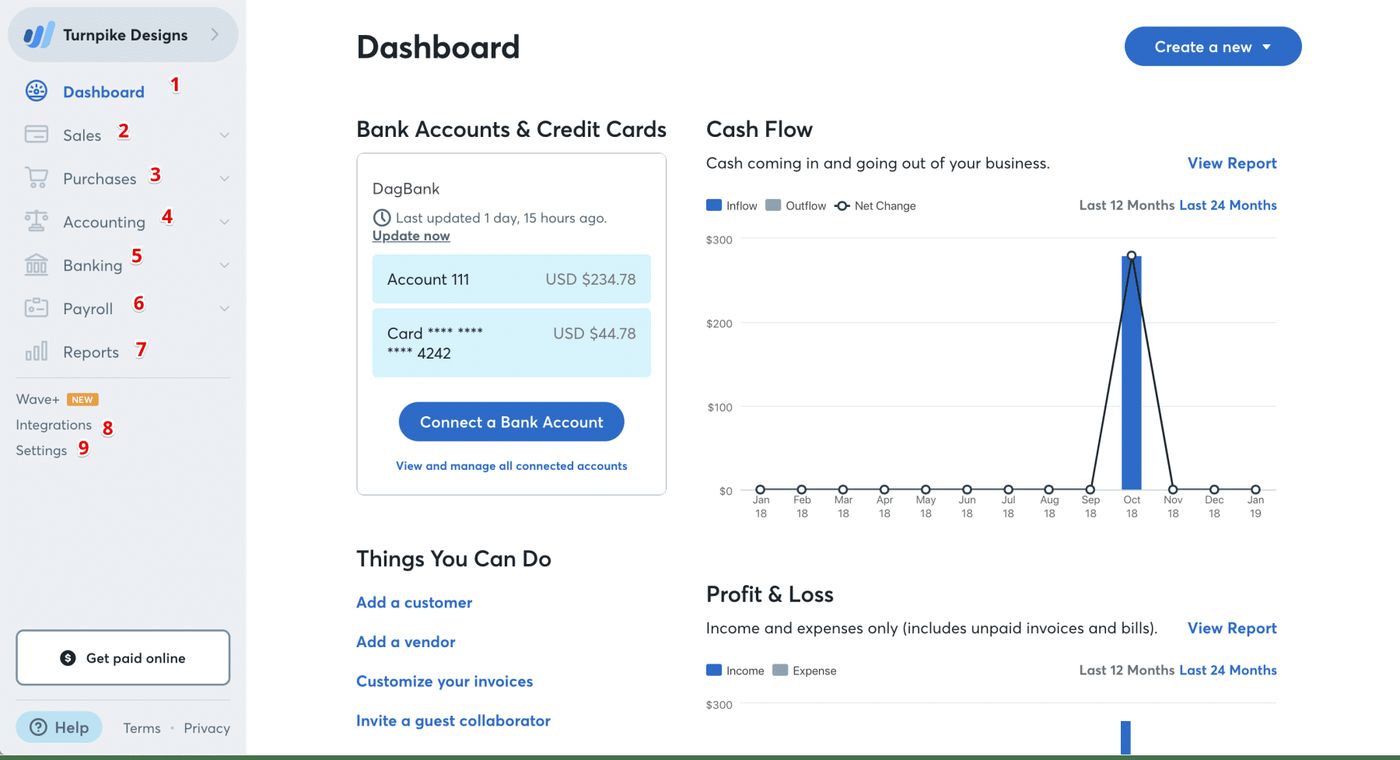
Several accounting software providers have a strong presence in the Canadian market, each with distinct characteristics, origins, and target users. FreshBooks is a Toronto-based online solution designed for service-based businesses, featuring tools for projects, timesheets, invoices, and expenses. Its interface is in English only, but invoices can be sent in both English and French, and it has payroll partners in Canada and the United States. QuickBooks Online is widely used small business accounting software that tracks expenses, creates invoices, accepts payments, and manages payroll online. It is frequently cited as a leading platform in the Canadian space and is marketed as the number one small business accounting software. Xero is a cloud-based platform that connects users to their bank, accountant, bookkeeper, and other business applications, and it reports over 250,000 accountants and bookkeepers using it globally to manage client accounts. Wave is a popular free accounting software headquartered in Toronto, designed specifically for North American small businesses and aligning well with CRA requirements for tax compliance and reporting. Sage offers Sage Accounting software purpose-built for Canadian small businesses, including features for easy setup and free import of prior years' data to facilitate a quick transition. AccountEdge Pro is a desktop accounting solution for Mac and Windows that is compliant with Canadian sales taxes and payroll requirements and offers remote cloud access via an add-on for flexible working arrangements. Acomba GO is developed by Acceo Solutions in Montreal, Quebec, and streamlines operations like accounting, invoicing, quotations, order-taking, and customer management with support for both English and French across Canada.
The market also includes several other notable solutions with specific attributes. AccountEdge Pro is a desktop solution compliant with Canadian sales taxes and payroll. Acomba GO is built specifically for Canadian small businesses and supports both English and French. Connected Core Accounting is a Canadian owned solution that can be hosted locally. Dynacom Accounting SMB Edition offers payroll processing and can grow with a business.
- Zoho Books offers a free plan for businesses with annual revenue under $50,000 and supports Canadian tax structures for microbusinesses.
- Dynacom Accounting SMB Edition is a Quebec-based solution with payroll processing, offering a Lite edition for simple tracking and an Enterprise+ edition for fully integrated financial management.
- Connected Core Accounting is a Canadian-owned solution based in Ontario for locally hosted software on PC or Mac, with an upgrade path to Connected Enterprise for inventory and job costing.
- Gestion PME is an accounting suite developed by Winfly Informatique Inc. in Quebec, available for a one-time fee for a two-year licence covering various business types.
- Softfin accounting is another option marketed for small business in Canada at a cost of $39 per month for its services.
Essential Features and Integration Requirements
When evaluating accounting software, Canadian small businesses must prioritize features that ensure operational efficiency, accurate reporting, and full regulatory compliance. Automated bank feeds that import and categorize transactions directly from Canadian financial institutions save considerable manual data entry time and reduce errors, a critical function as open banking advances in the country. Robust invoicing capabilities that allow for customization in English or French and can handle Canadian tax calculations are essential for professional billing and sales tax remittance to the CRA and provinces. Expense tracking with receipt scanning via mobile apps, as offered by FreshBooks' iPhone and iPad apps, helps maintain organized records for the CRA and simplifies expense management by digitizing paper receipts. Payroll modules must calculate federal and provincial deductions, including Canada Pension Plan contributions, Employment Insurance premiums, and provincial health taxes, accurately and generate necessary slips like the T4 at year-end. Sales tax functionality should automatically calculate GST, HST, and PST rates based on the customer's location and generate required reports for quarterly or annual filings, a feature highlighted in descriptions of AccountEdge Pro. Financial reporting tools should produce standard statements like profit and loss, balance sheets, and cash flow statements that meet Canadian accounting standards and provide business insights for strategic planning. Multi-user access with permission controls allows business owners, bookkeepers, and accountants to collaborate securely on the same real-time data without compromising sensitive information. Integration with other business tools, such as payment processors, customer relationship management systems, and e-commerce platforms, creates a cohesive operational ecosystem. Xero, for example, connects with over 1,000 apps to extend its functionality.
| Feature Category | Canadian Requirement | Example Provider Capability |
|---|---|---|
| Sales Tax | Automatic GST/HST/PST calculation | AccountEdge Pro compliant with Canadian sales taxes |
| Payroll | Federal & provincial deduction handling | Dynacom Accounting SMB Edition includes payroll processing |
| Language | English & French support | Acomba GO supports both English and French |
| Data Residency | Optional data storage in Canada | Wave and Acomba GO store data in Canada |
| Deployment | Cloud, desktop, or hybrid access | AccountEdge Pro offers desktop with cloud add-on |
| AI & Automation | Reduces manual tasks and compliance time | 95% of accountants report technology reduces compliance time |

Implementation Process and Frequent Errors
Successfully implementing accounting software involves careful planning, configuration, and ongoing management to realize its full benefits and avoid costly mistakes. The first step is to clean up existing financial records and ensure a clear starting point, such as the beginning of a fiscal period or calendar year, to avoid carrying forward errors into the new system. Next, businesses should configure the software's settings for their specific needs, including setting up a chart of accounts aligned with their industry, inputting correct federal and provincial tax rates, and designing professional invoice templates that reflect their brand. Importing initial data, such as customer lists, supplier details, inventory items, and opening balances for bank accounts and liabilities, comes next and must be done accurately to establish correct financial baselines. Training for all users who will interact with the software, including the owner, administrative staff, and the external accountant or bookkeeper, is critical to ensure consistent and correct usage according to established procedures and to maximize the software's features. Establishing a routine for regular tasks like reconciling accounts, sending invoices, reviewing aged receivables, and generating monthly financial reports helps maintain financial discipline and catch issues early before they become significant problems.
Common mistakes made during selection and use include not planning for future growth. Many small businesses start with basic software but outgrow it after a few years. Another mistake is not choosing a vendor that allows for an easy upgrade to more advanced solutions. Finally, overlooking the need for specific industry features can be a problem.
- Selecting software based solely on initial price without considering future growth needs, leading to a costly and disruptive switch later when the business outgrows basic features, a scenario mentioned in industry guidance.
- Neglecting to properly set up tax settings for GST, HST, and PST, resulting in compliance issues, incorrect financial reporting, and potential penalties from tax authorities during an audit.
- Failing to maintain regular backups, especially with desktop software, which risks complete data loss due to hardware failure, theft, or corruption, with no cloud recovery option.
- Not utilizing the software's automation features, such as recurring invoices, bank rule creation, or automatic payment reminders, which defeats the purpose of efficiency gains and leaves manual work unchanged.
- Attempting to manage overly complex operations like multi-entity consolidation, advanced inventory costing, or project accounting on entry-level software not designed for it, creating more work and inaccuracies in financial data.
- Overlooking the need for direct integration with the business's primary bank, leading to manual transaction entry that is time-consuming and prone to error, negating a key benefit of modern software.
- Underestimating the importance of user permissions, allowing too many staff unrestricted access which can lead to data integrity issues or security vulnerabilities.
Current Trends and Future Trajectory
The accounting software landscape in Canada is evolving rapidly, driven by technological innovation, regulatory changes, and shifting business practices observed in the market. A significant trend is the deepening integration of artificial intelligence to automate routine tasks, provide predictive insights, and reduce compliance time, with data indicating 95 percent of accountants say technology reduces compliance time and 46 percent use AI daily. Cloud-first or cloud-only deployment has become the standard, enabling real-time collaboration with advisors, automatic updates without user intervention, and access from any device, which is now a baseline expectation for most new software offerings. Enhanced security features like encryption, two-factor authentication, and secure cloud hosting are increasingly standard as more sensitive financial data moves online and CRA online filing requirements tighten for businesses. Open banking initiatives are progressing in Canada, leading to deeper and more reliable integrations between accounting software and Canadian financial institutions for transaction feeds and payment processing. Pricing models are shifting toward greater flexibility, with many providers offering modular plans where businesses pay only for the features they use, a response to rising operating costs for small businesses noted in recent analyses. There is also a growing expectation for software to provide not just record-keeping but also analytical tools that offer actionable business intelligence on cash flow, profitability, and trends to support strategic decisions. For Canadian businesses, these developments mean that the right accounting software in 2026 should support significant automation, integrate across the financial stack, possess scalability to grow alongside the business, and maintain rigorous compliance with Canadian standards as the technology continues to advance.
Frequently asked questions
What is the best free accounting software in Canada?
Several providers offer free accounting software options in Canada, each with different strengths. Wave is a popular free choice headquartered in Toronto, designed for North American small businesses and offering invoicing, accounting, and receipt scanning. Zoho Books provides a free plan for businesses with annual revenue under $50,000 CAD, featuring core accounting functions. Other free or freemium tools include Akaunting, an open-source web-based tool. ZipBooks, a minimalist U.S.-based tool adaptable to Canadian taxes. Manager.io, a free desktop program. GnuCash, a longstanding traditional bookkeeping program. And CloudBooks for freelancers. The suitability of each depends on the business's specific needs for features, language support, data residency, and preferred access method.
Do I need accounting software that stores data in Canada?
Data residency is a consideration for some Canadian businesses due to privacy preferences, data security concerns, or specific regulatory or contractual requirements. Some accounting software providers, such as Wave and Acomba GO, explicitly store user data within Canada, which can be a deciding factor. Other providers may store data in other jurisdictions, including the United States or globally. Businesses should review the data storage policies and security protocols of any software they consider, especially if they handle sensitive client information, healthcare data, or government contracts, to ensure alignment with their own privacy standards, risk tolerance, and any applicable legal obligations.
Can accounting software handle Canadian sales taxes like GST and PST?
Yes, accounting software designed for the Canadian market typically includes specific functionality to manage federal and provincial sales taxes accurately. These systems can automatically calculate GST, HST, and PST rates based on the customer's location within Canada and the type of product or service sold, applying the correct taxability rules. They generate detailed reports that summarize collected and paid taxes by period and jurisdiction, which are necessary for filing returns with the CRA and provincial tax authorities like Revenu Québec. It is important to verify that any software under consideration is compliant with Canadian tax rules, receives regular updates for tax rate changes, and can handle complex scenarios like exempt customers, zero-rated goods, and multi-province transactions.
What is the difference between cloud and desktop accounting software?
Cloud accounting software is hosted online and accessed through a web browser, offering real-time data access from any device with an internet connection, automatic updates deployed by the provider, and easier collaboration with accountants and team members. It usually operates on a software as a service subscription model. Desktop software is installed directly on a computer's hard drive, often providing a one-time purchase option as with Gestion PME's licence, greater control over data location, and full functionality without ongoing internet access, though it may lack real-time multi-user features and requires manual updates for tax changes. Some solutions, like AccountEdge Pro, offer a traditional desktop platform with optional cloud access add-ons for remote work, representing a hybrid model.
When should a small business upgrade its accounting software?
A small business should consider upgrading its accounting software when it outgrows the basic features and limitations of its current system, a common occurrence after a few years of growth. Clear signs include needing true multi-user access with role-based permissions, advanced inventory management with serial numbers or multiple locations, complex payroll processing for different employee types, or more sophisticated financial reporting and consolidation. Other indicators are spending excessive time on manual workarounds or spreadsheets, requiring deep integrations with other business systems like e-commerce or CRM, or facing compliance challenges that the software cannot adequately address. Upgrading to a more robust platform, a modular system with add-ons, or ultimately an enterprise resource planning system may be necessary to support growth, increased transaction volume, and operational complexity.
Does accounting software integrate with Canadian banks?
Most modern cloud-based accounting software platforms offer integration with major Canadian banks and financial institutions, a feature highly valued for efficiency. These integrations typically use secure bank feeds, often provided through a third-party service like Plaid or Flinks, to automatically import transaction data into the software, streamlining reconciliation and reducing manual data entry. The depth, reliability, and included banks for these integrations can vary by software provider, and some may require a separate subscription or service fee. As open banking initiatives advance in Canada, these connections are expected to become more direct, widespread, and reliable across different software providers, reducing dependency on third-party screen-scraping methods.
Sources and further reading
- Accounting software: Free / low-cost options bdc.ca
- Top 10 free accounting software in Canada for small businesses gestisoft.com
- Accounting Software for Small Businesses | Xero CA xero.com
- Best Accounting Software for Canadian Businesses: 2026 ... floatfinancial.com
This article explains how things work and is not financial, tax or legal advice. Rules, limits and rates change, so check the current figures with the Canada Revenue Agency, your province or your financial institution before you act.